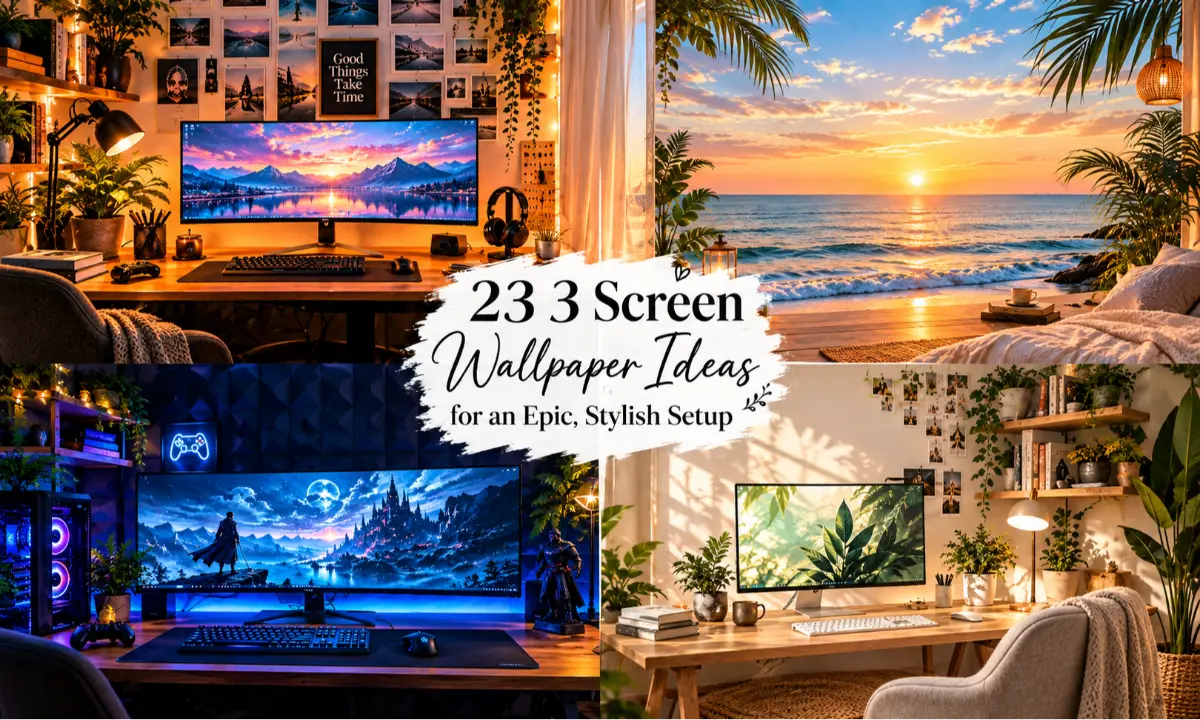
23 3 Screen Wallpaper Ideas for an Epic, Stylish Setup
A great 3 screen wallpaper can completely change the personality of a desktop setup. Instead of treating three monitors as separate screens, you can turn them into one connected visual space with the right colors, composition, and theme. Whether you love dark gaming aesthetics, peaceful nature scenes, futuristic designs, minimalist artwork, or cozy desk vibes, the right triple monitor wallpaper can make your workspace feel more polished and intentional.
The best designs also consider how your eyes move across the setup. A strong center image can create a focal point, while supporting visuals on the side screens add balance without making the desktop feel crowded. These 3 screen wallpaper ideas are designed for gaming rooms, creative workspaces, study desks, streaming setups, and modern home offices.
Creative 3 Screen Wallpaper Ideas for a Stylish Desktop
1. 3 Screen Wallpaper With a Dramatic Mountain Sunrise
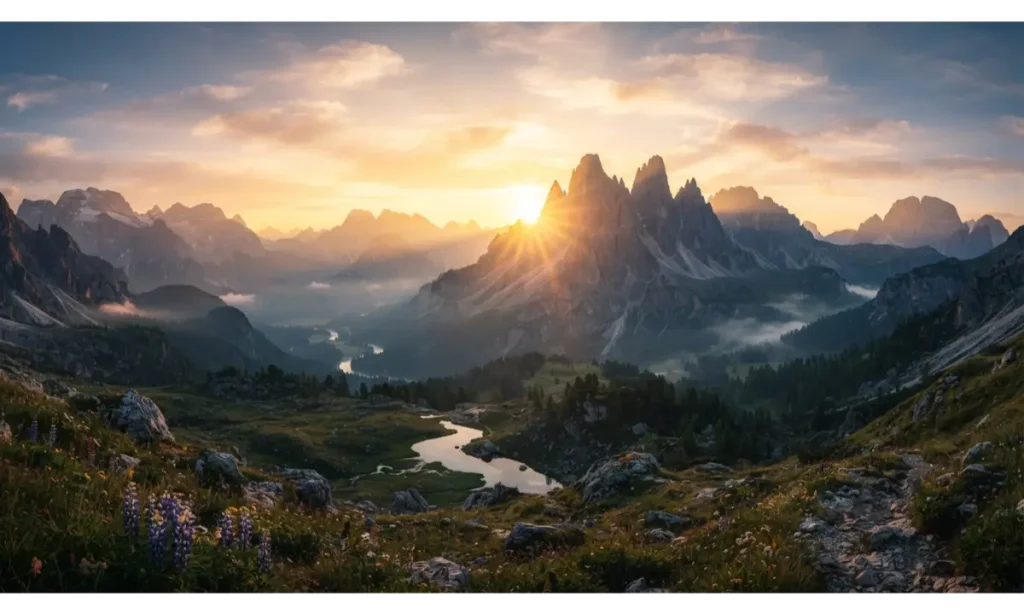
A 3 screen wallpaper featuring a mountain sunrise creates an impressive sense of depth across your entire monitor setup. Place the brightest part of the sunrise near the center screen so it becomes the natural focal point. The darker mountain edges can continue onto the side displays, creating a smooth visual flow. This style works especially well with black, gray, or natural wood desks because the warm sunlight adds contrast without overwhelming the workspace.
The combination of mountains, clouds, and open sky also gives your desktop a spacious feeling. A panoramic 3 screen wallpaper like this works beautifully for workstations where you want something inspiring but not overly busy. The soft sunrise colors can make a long work session feel calmer while still giving the setup a premium appearance.
Pro Tip: Keep icons away from the brightest part of the image so your desktop stays easy to read.
2. 3 Screen Wallpaper With a Futuristic Neon City
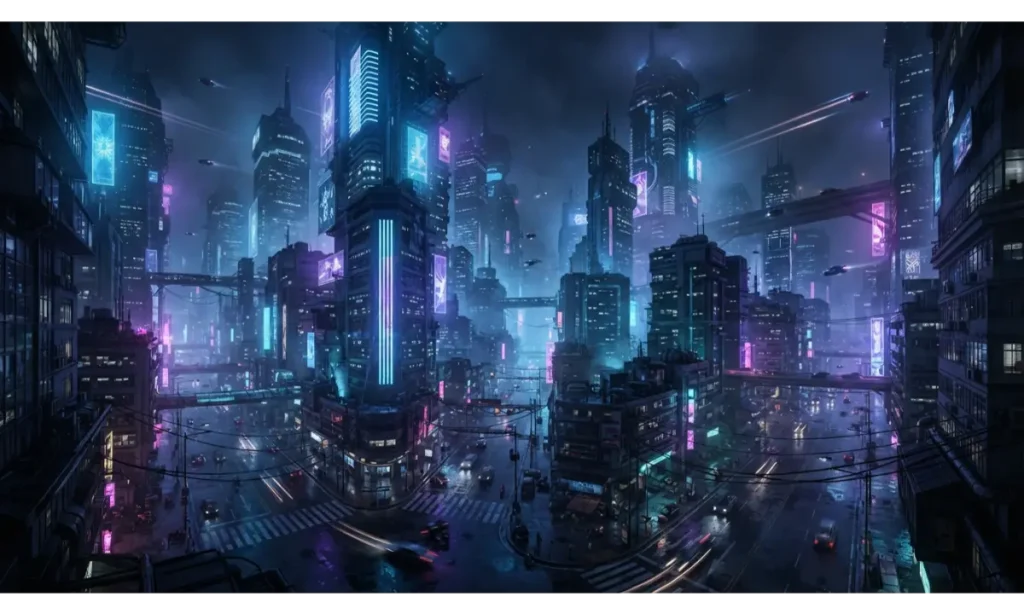
A 3 screen wallpaper based on a futuristic city can instantly give a gaming or tech desk a powerful personality. Use the center monitor for the tallest buildings and brightest signs, then let the architecture gradually become darker toward the side displays. This creates a natural visual hierarchy that makes the three screens feel like one giant window into a futuristic world.
For a gaming setup, this 3 screen wallpaper pairs well with RGB lighting, dark desks, metallic accessories, and minimalist peripherals. The neon reflections add energy without requiring additional desktop decorations. Choose a design with controlled highlights instead of hundreds of glowing elements so your icons and open windows remain visible when you are actually using the computer.
Pro Tip: Match your RGB lighting to one or two dominant colors from the wallpaper for a more coordinated setup.
Read More: 21 Fall Porch Decor 2026 Ideas for a Stunning Welcome
3. 3 Screen Wallpaper With a Minimal Black and Gold Design
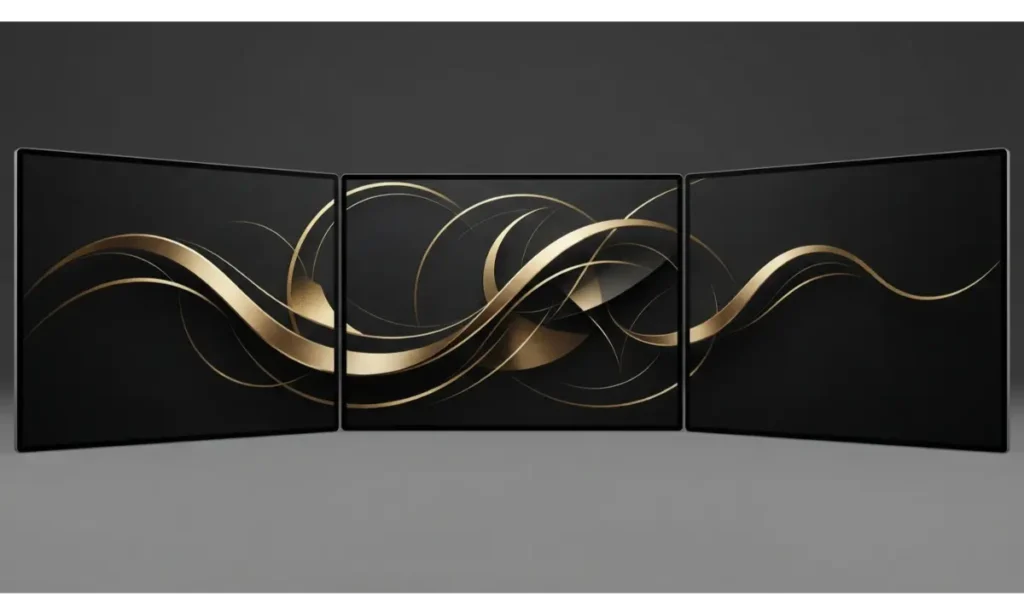
A 3 screen wallpaper does not need a detailed landscape to look impressive. A black and gold abstract design can create a sophisticated background that feels clean, expensive, and modern. Keep the central design slightly stronger on the middle display, while thin gold lines continue naturally across the left and right monitors.
This 3 screen wallpaper is especially useful for professional workspaces because it provides visual personality without distracting scenery. The dark background can also make desktop icons stand out clearly. Pair the design with black peripherals, warm desk lighting, and simple accessories for an elegant workstation that looks polished both during work and when viewed from across the room.
Pro Tip: Choose subtle gold details rather than bright yellow so the wallpaper keeps its premium appearance.
4. 3 Screen Wallpaper With a Calm Ocean Horizon
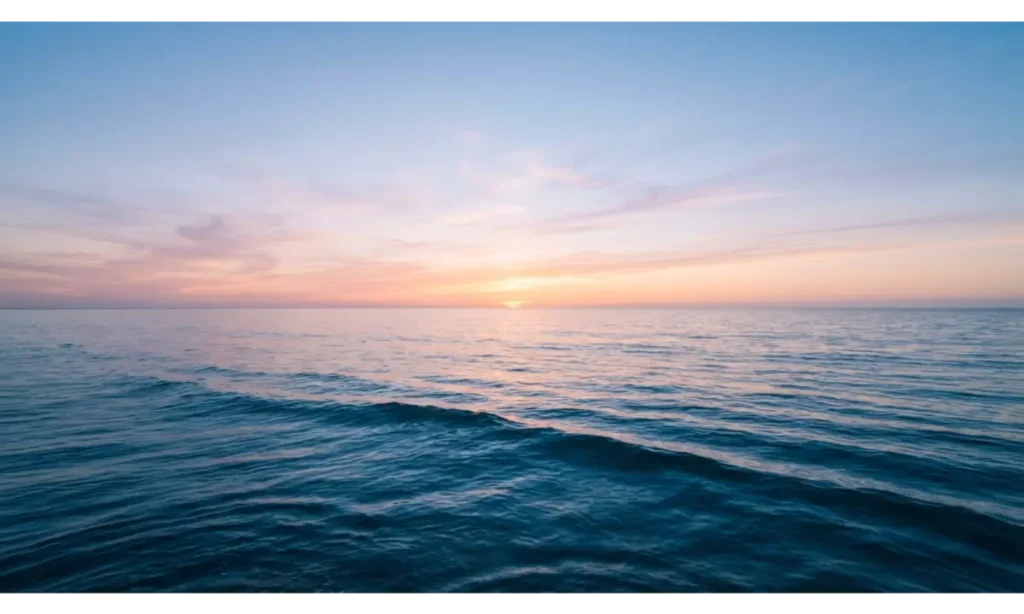
A peaceful ocean scene can turn a busy computer desk into a calmer visual environment. This 3 screen wallpaper works best when the horizon remains consistent across all three monitors. Place the most noticeable sunlight or cloud formation near the center while allowing the ocean to flow naturally toward both sides.
The simplicity of this 3 screen wallpaper makes it suitable for study desks, offices, and creative workspaces. Blue tones can also complement white, silver, black, or natural wood furniture. Instead of filling the image with boats, buildings, or dramatic waves, choose an open composition that leaves plenty of quiet visual space behind desktop icons and application windows.
Pro Tip: Look for wallpapers with a relatively clean lower section because taskbars and desktop icons often occupy that area.
5. 3 Screen Wallpaper With a Cozy Forest Cabin
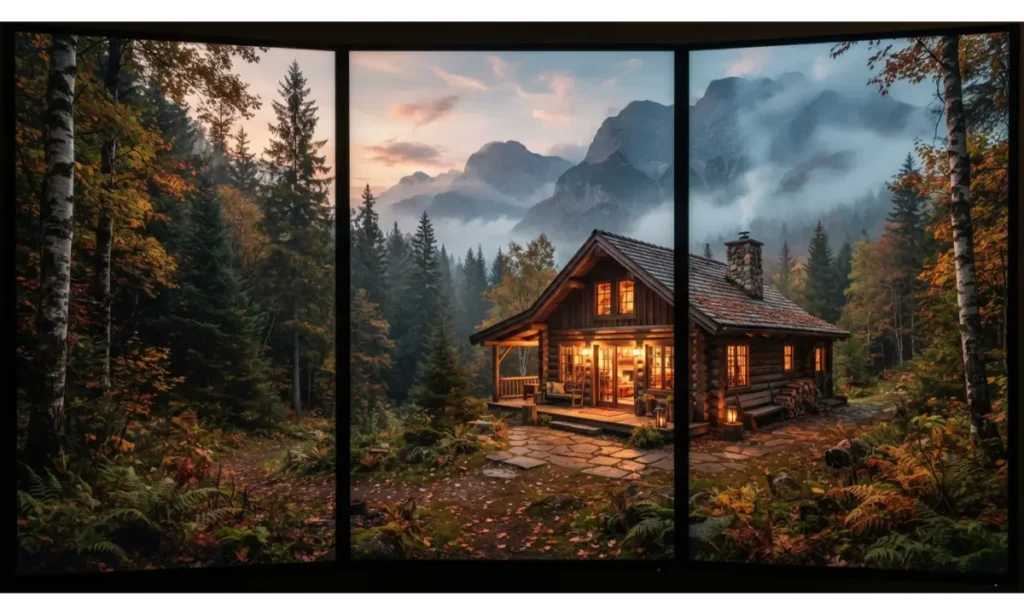
A 3 screen wallpaper featuring a forest cabin brings warmth and comfort to a desktop. The cabin works naturally as the central focal point while trees, mountains, and atmospheric mist extend into the side screens. This creates a layered composition that feels like a complete environment instead of three unrelated images.
This 3 screen wallpaper is ideal for cozy gaming rooms, study corners, and home offices where you want a relaxing atmosphere. Warm cabin lighting creates a beautiful contrast against darker green forests and blue evening shadows. It can also make a minimalist desk feel more inviting without adding physical decorations or clutter.
Pro Tip: Choose a cabin scene with the main building centered so the important subject does not disappear between monitor bezels.
Read More: 20 Brown Living Room Design Ideas for a Cozy, Stylish Space
6. 3 Screen Wallpaper With a Modern Abstract Gradient
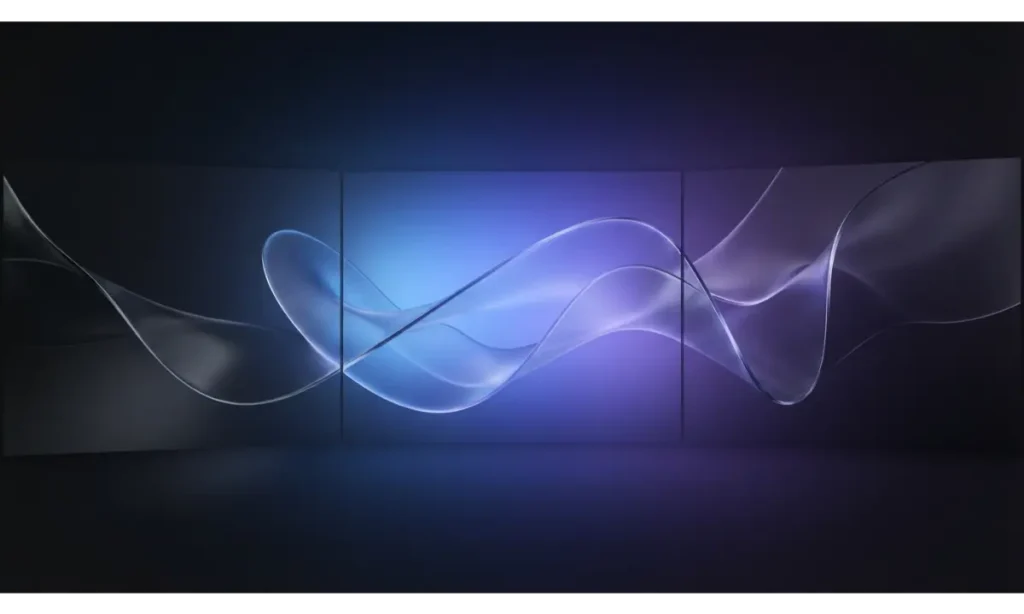
A modern gradient is one of the easiest ways to create a clean and stylish 3 screen wallpaper. Smooth colors can flow from one screen to another without creating obvious visual breaks. Abstract shapes should remain large and simple so they do not compete with your applications or desktop icons.
This 3 screen wallpaper style works especially well for modern productivity setups. It looks attractive with minimalist keyboards, large desk mats, monitor arms, and clean cable management. Because the design does not rely on a specific subject, it can remain appealing for a long time without becoming visually tiring.
Pro Tip: Use a gradient that matches your room lighting instead of choosing colors that clash with your existing setup.
7. 3 Screen Wallpaper With a Space and Galaxy Theme
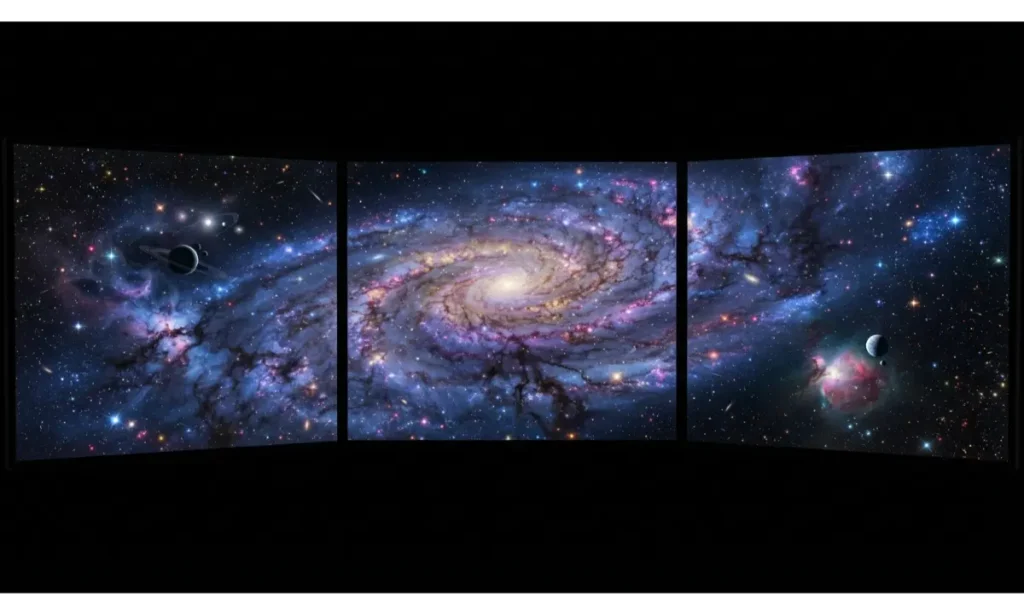
A cosmic 3 screen wallpaper can make your desktop feel enormous. A glowing nebula works particularly well because its clouds can stretch naturally from one display to another. Keep the brightest star field or cosmic formation near the center and use darker space toward the outer edges for a balanced composition.
This 3 screen wallpaper is a natural choice for gaming setups, creative desks, and technology themed rooms. Deep colors can also work beautifully with subtle RGB lighting. Avoid designs with too many giant planets because they can become distracting and may look awkward when monitor bezels interrupt the composition.
Pro Tip: Pick a space wallpaper with varied dark and bright areas so windows remain readable over different parts of the image.
8. 3 Screen Wallpaper With a Luxury Marble Texture
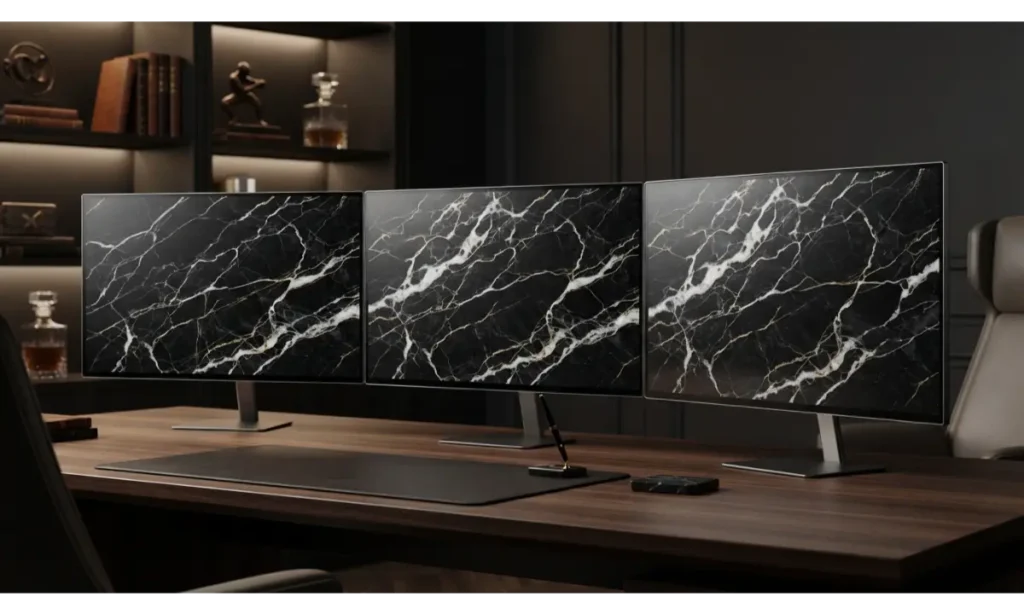
A marble 3 screen wallpaper creates a refined look without using complicated scenery. Black marble with subtle white veins gives the setup a luxurious foundation, while small gold accents can add warmth. The pattern should flow continuously across all three displays so the monitor arrangement feels intentional.
This 3 screen wallpaper works especially well in professional offices and minimalist workstations. It pairs naturally with black monitors, gold accessories, dark wood, and warm desk lamps. Because marble has no central subject, it also keeps desktop icons and open windows relatively easy to see.
Pro Tip: Select a medium contrast marble pattern because extremely bright veins can become distracting during everyday computer use.
9. 3 Screen Wallpaper With a Japanese Zen Garden
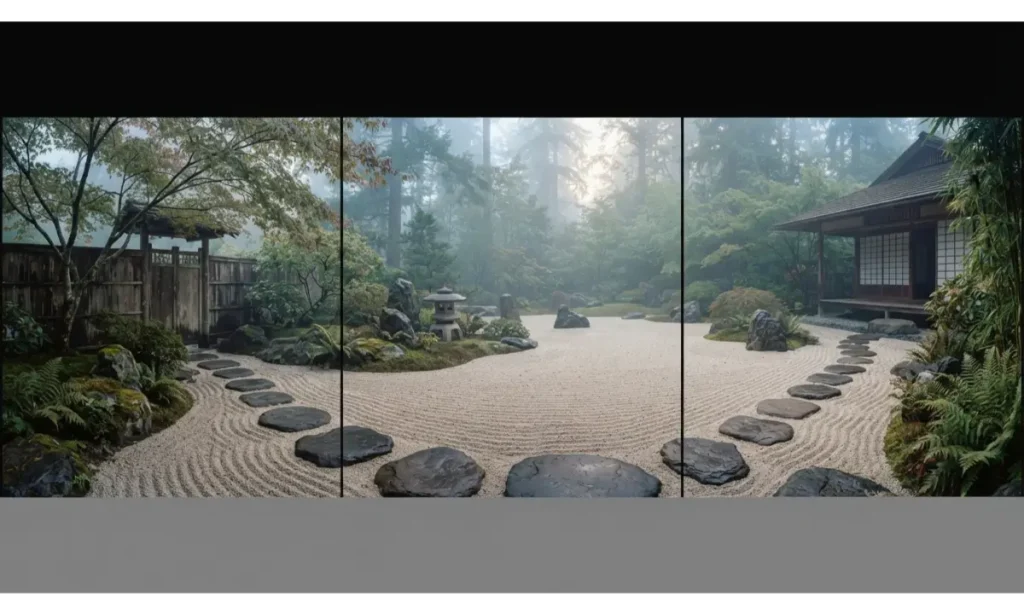
A peaceful Zen garden gives your 3 screen wallpaper a quiet and balanced feeling. Use a stone path or garden structure as a visual line that moves naturally across the screens. Muted greens, beige tones, and soft gray stones create an understated palette that works well for focused environments.
This 3 screen wallpaper can make a study or office feel calmer without relying on overly colorful imagery. It also works well with wooden desks and neutral room colors. Choose a scene with plenty of open space so your desktop remains functional rather than becoming another source of visual noise.
Pro Tip: Use warm neutral monitor lighting with this style instead of intense RGB effects.
10. 3 Screen Wallpaper With a Dark Fantasy Castle
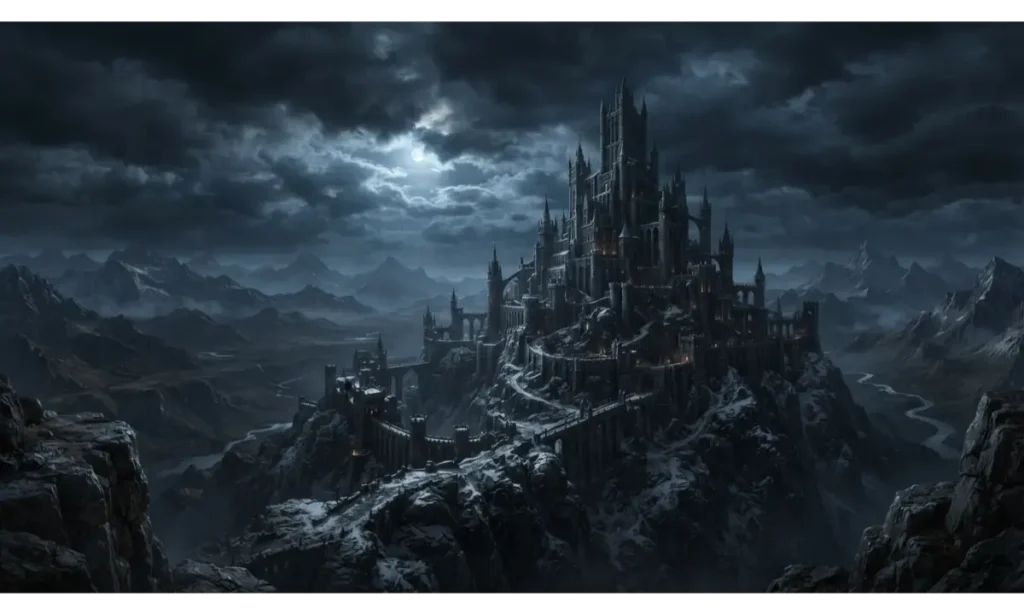
A dark fantasy castle gives a 3 screen wallpaper a dramatic storytelling quality. The castle should sit near the center while cliffs, clouds, and distant mountains spread outward across the side displays. This creates a cinematic scene that feels much larger than a standard desktop background.
This 3 screen wallpaper is particularly effective for gaming setups because it creates atmosphere without needing characters or action scenes. Dark blues and charcoal tones also pair naturally with black hardware. A carefully balanced fantasy landscape can remain immersive while still leaving enough darker areas for readable desktop elements.
Pro Tip: Avoid placing tiny characters or detailed text inside the wallpaper because they may become difficult to see across monitor bezels.
11. 3 Screen Wallpaper With a Tropical Paradise
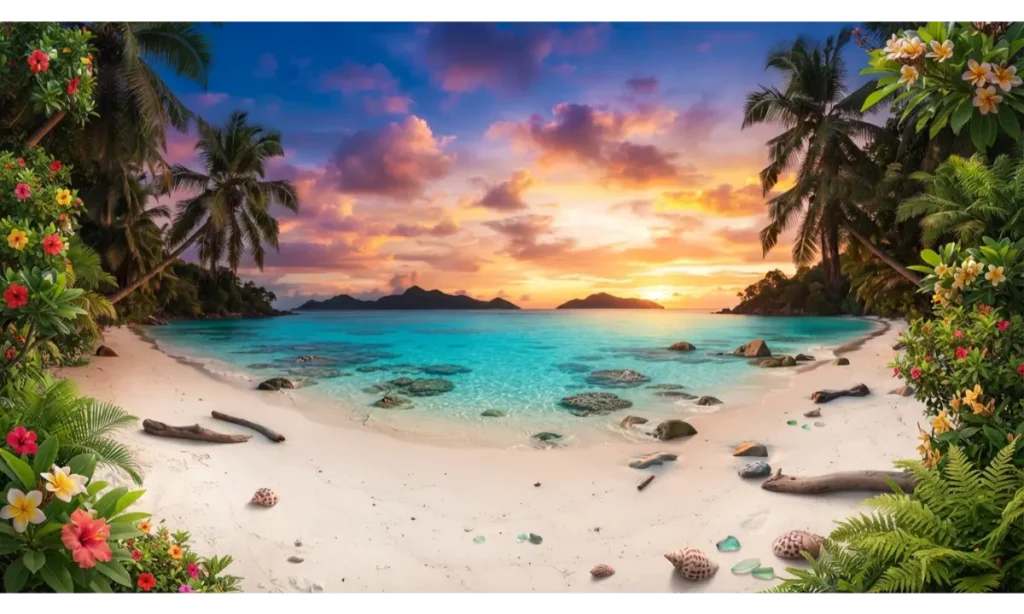
A tropical 3 screen wallpaper can make your workspace feel like a permanent escape. Use palm trees around the outer edges and keep the open water or sunset toward the center. This composition gives the image a natural frame while allowing the middle display to carry the strongest focal point.
This 3 screen wallpaper works especially well when your desk has light wood, white accessories, or natural textures. The combination of turquoise water and warm sunlight creates a cheerful atmosphere without looking childish. It is a strong option for creative workspaces where you want an energetic but peaceful background.
Pro Tip: Choose a sunset with soft colors instead of extreme orange so the wallpaper stays comfortable during long sessions.
12. 3 Screen Wallpaper With a Futuristic Space Station
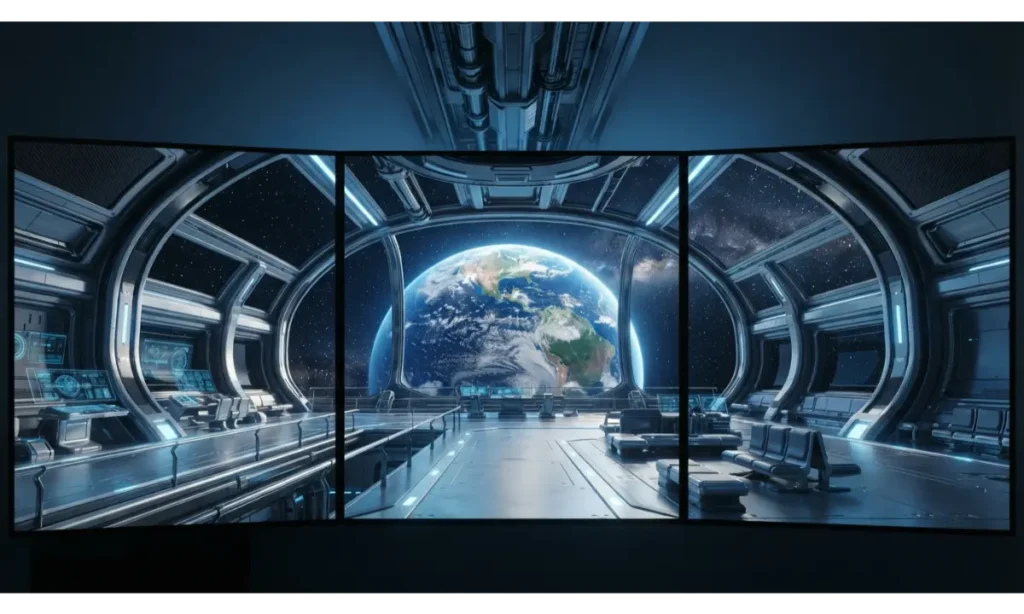
A futuristic space station makes a unique 3 screen wallpaper for technology lovers. A large window can create a natural panoramic composition, with Earth positioned near the center and station architecture extending into both side screens. The perspective should make the viewer feel like they are sitting inside the station.
This 3 screen wallpaper has enough detail to feel exciting while maintaining a controlled color palette. Blue lighting and dark metallic surfaces work particularly well with modern gaming hardware. It can also suit coding and creative desks because the darker environment keeps bright application windows visually distinct.
Pro Tip: Use a wallpaper with a strong horizontal perspective so the three displays feel connected rather than separated.
13. 3 Screen Wallpaper With Moody Rainy City Streets
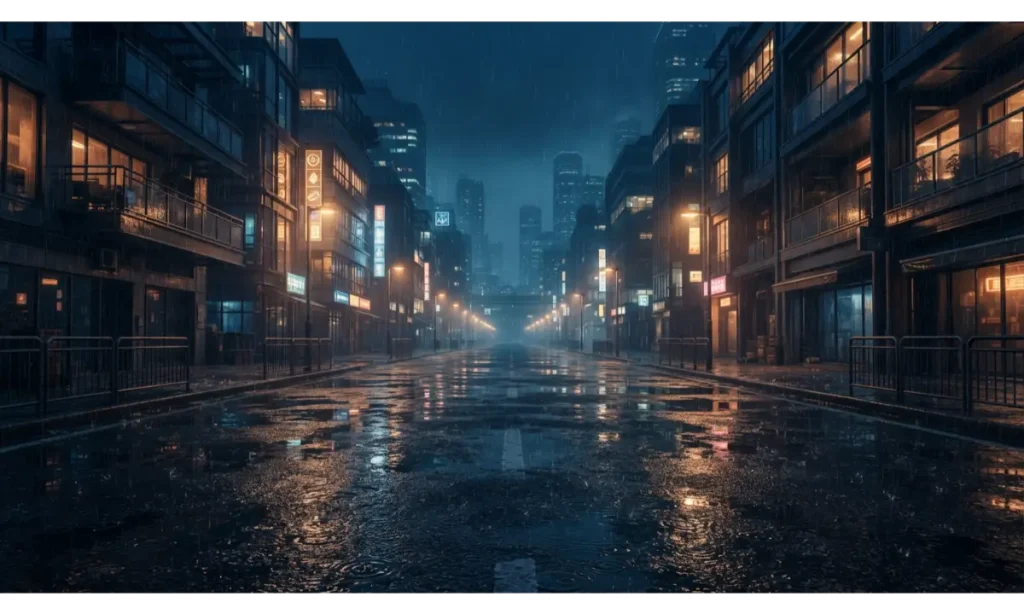
A rainy city can give your 3 screen wallpaper a cinematic and sophisticated atmosphere. Wet pavement creates natural reflections that stretch beautifully across multiple displays. Keep the brightest storefronts or streetlights near the middle while darker buildings frame the outer monitors.
This 3 screen wallpaper works especially well for late night gaming, music production, coding, and creative work. The darker palette allows bright applications to remain visible while adding atmosphere to the desk. The combination of blue shadows and warm lights also gives the setup a modern visual identity without excessive color.
Pro Tip: Select a scene where the brightest reflections sit below the center so desktop icons remain easier to read.
14. 3 Screen Wallpaper With Minimalist Desert Dunes
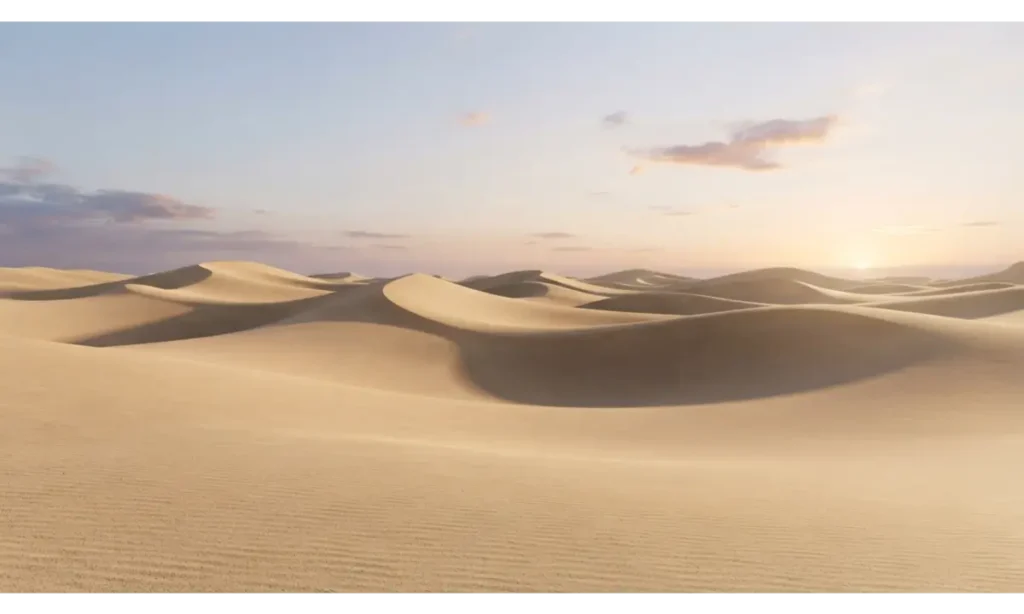
A desert dune 3 screen wallpaper uses simple shapes to create a surprisingly powerful visual effect. The curves of the dunes can travel from the left display through the center and toward the right, creating a seamless flow. Soft sunlight adds dimension without introducing unnecessary details.
This 3 screen wallpaper is excellent for minimalist desks because it uses a calm color palette and generous negative space. Beige, cream, tan, and warm gray tones can complement many office interiors. The design also remains visually useful when windows cover parts of the background.
Pro Tip: Choose a high resolution image with smooth gradients because compression can become noticeable across three large displays.
15. 3 Screen Wallpaper With a Classic Sports Car
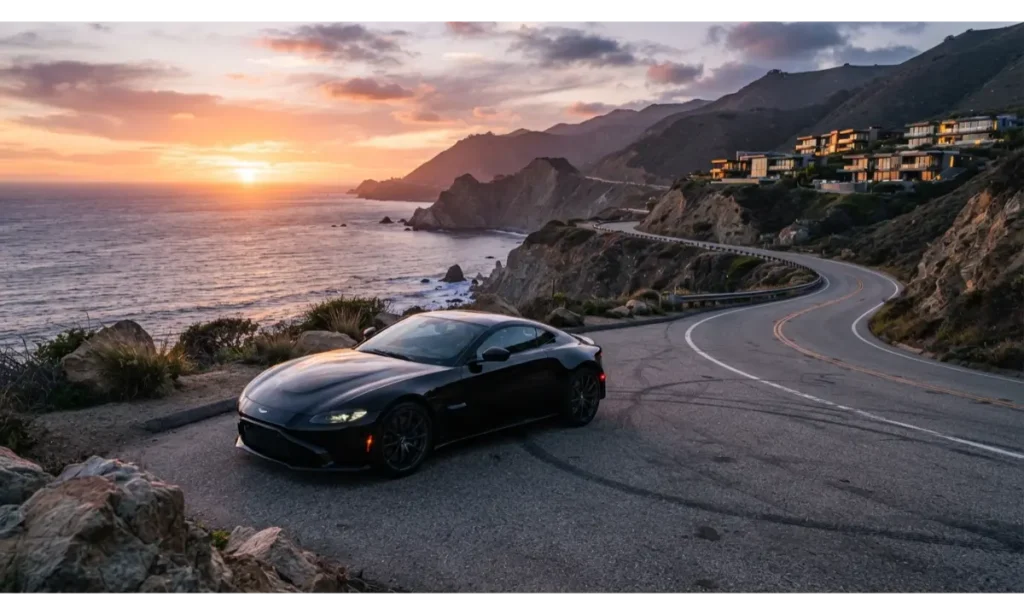
A sports car can become the hero subject of a 3 screen wallpaper when positioned carefully. Place the vehicle across the center display while allowing the road and landscape to continue onto the side screens. This gives the setup a strong focal point without making every monitor visually identical.
This 3 screen wallpaper suits gaming rooms, automotive themed desks, and modern masculine workspaces. Dark car paint can pair beautifully with black hardware, while warm sunset highlights add contrast. Choose a scene with plenty of surrounding environment so the car does not feel awkwardly cropped by monitor edges.
Pro Tip: Keep the car fully visible on one screen whenever possible instead of placing its most important details directly across a bezel.
16. 3 Screen Wallpaper With a Cozy Coffee Shop
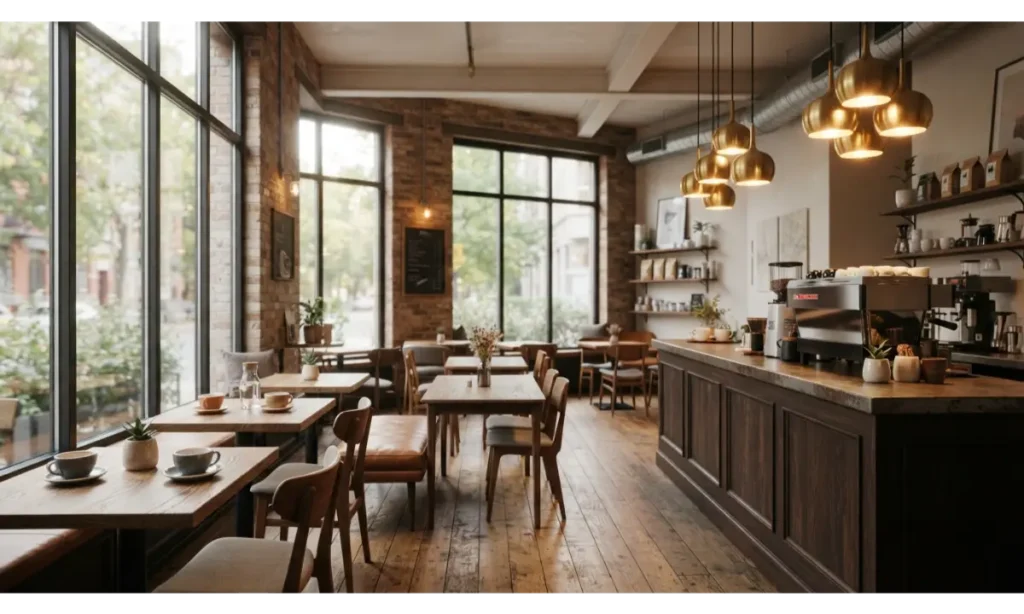
A cozy coffee shop makes a warm and relatable 3 screen wallpaper for people who enjoy comfortable work environments. Use large windows or architectural lines to connect all three displays. Warm pendant lights and natural wood can create a welcoming atmosphere without filling the scene with excessive objects.
This 3 screen wallpaper works beautifully for study desks, writing spaces, and creative workstations. The warm brown, cream, and amber palette can make a cool room feel visually warmer. It also creates the feeling of having a favorite café nearby without distracting you with an overly dramatic scene.
Pro Tip: Choose a coffee shop scene with uncluttered tables so the wallpaper remains visually clean behind desktop icons.
17. 3 Screen Wallpaper With a Cyber Grid
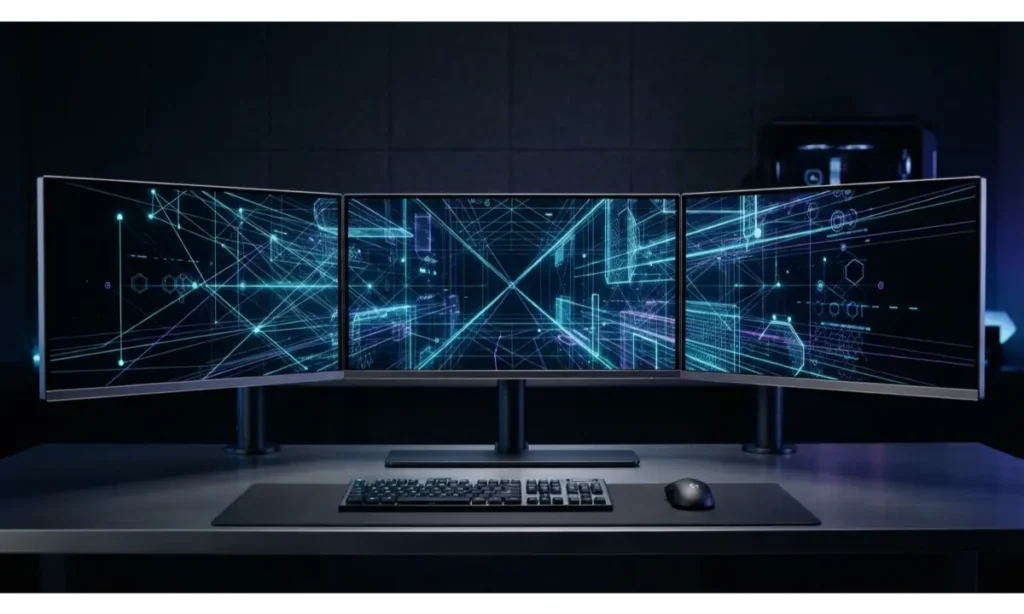
A cyber grid is a strong option when you want your 3 screen wallpaper to feel modern without using a full city or fantasy scene. Geometric lines can connect across the bezels and create a sense of depth. A restrained glow keeps the design energetic while avoiding the visual overload common in gaming wallpapers.
This 3 screen wallpaper works particularly well with mechanical keyboards, black desk mats, monitor arms, and subtle RGB lighting. The simple geometry also gives desktop windows enough breathing room. It can make even a basic desk look more intentional and technologically focused.
Pro Tip: Use one main glow color and one secondary accent instead of filling the background with multiple competing neon shades.
18. 3 Screen Wallpaper With Snowy Alpine Peaks
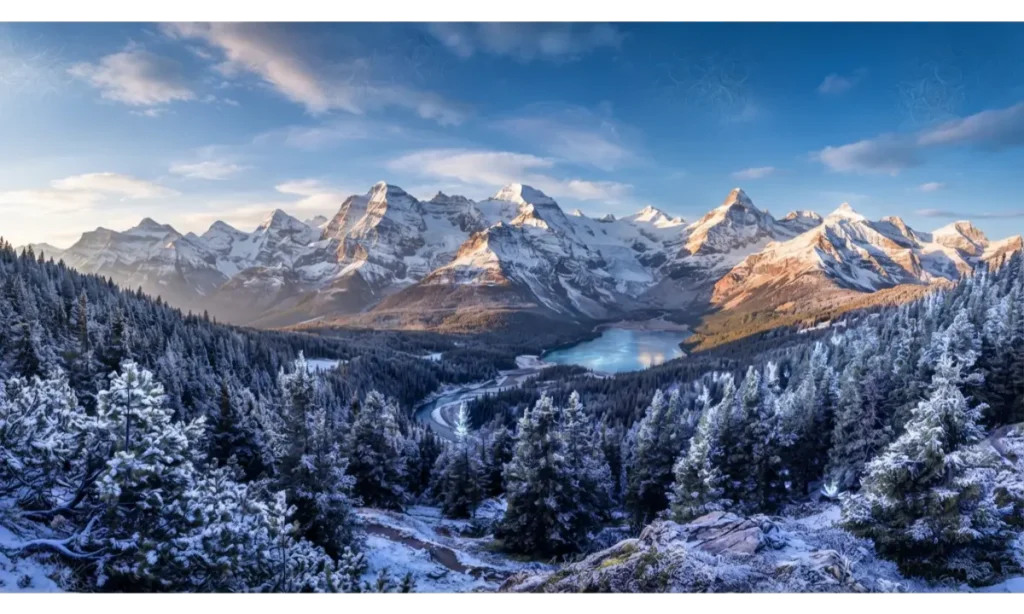
Snowy mountains can give a 3 screen wallpaper an incredibly crisp and refreshing appearance. The peaks should vary in height across the displays so the image does not look artificially symmetrical. A central mountain can provide a strong focal point while forests and distant ridges extend toward the sides.
This 3 screen wallpaper works well in bright home offices because the cool blue and white palette feels fresh. It also gives a sense of openness that can make a desk area appear visually larger. The natural landscape remains attractive without demanding constant attention.
Pro Tip: Choose a scene with a darker foreground so white desktop icons do not disappear against snow.
19. 3 Screen Wallpaper With Abstract Liquid Metal
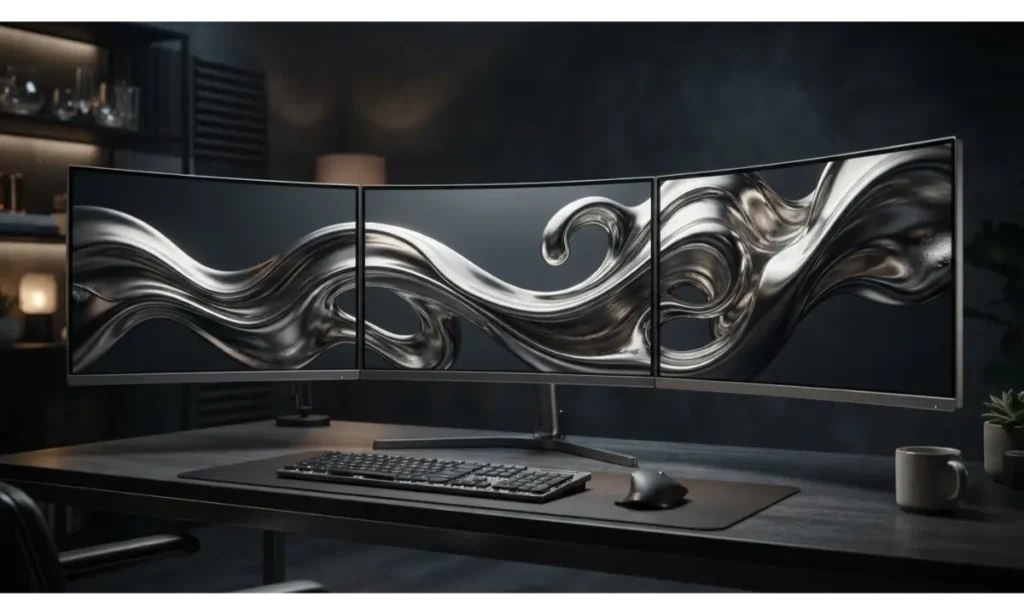
Liquid metal creates a bold 3 screen wallpaper with a high-end technology feel. Flowing metallic curves can move from one monitor to the next, giving the entire setup a sculptural appearance. Graphite, silver, and dark gray tones keep the design sophisticated while subtle reflections add depth.
This 3 screen wallpaper is a great choice for modern offices, gaming desks, and minimalist technology setups. Unlike busy photographs, abstract metal can remain attractive even when several applications cover parts of the screen. It also complements silver hardware and dark desks naturally.
Pro Tip: Look for smooth lighting transitions because harsh reflections can make the wallpaper feel visually fragmented.
20. 3 Screen Wallpaper With a Magical Northern Lights Scene
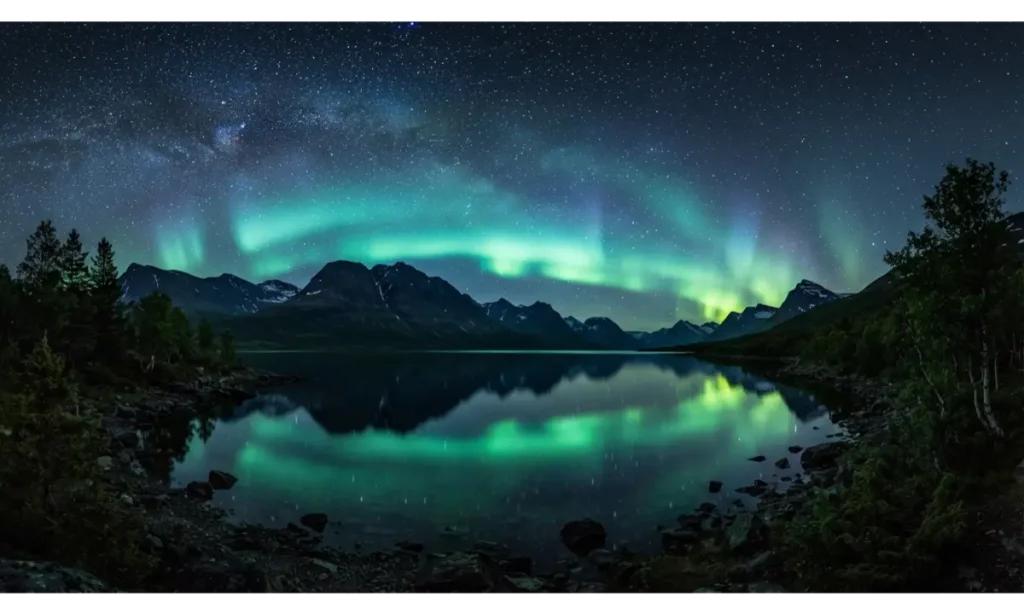
A northern lights 3 screen wallpaper creates a magical atmosphere without needing fantasy characters or artificial effects. The aurora naturally spreads across a wide sky, making it ideal for a triple display. Keep the strongest green or turquoise glow toward the center and let darker mountains frame the outer screens.
This 3 screen wallpaper can turn a simple workspace into a dramatic nighttime environment. The dark background works well for gaming and entertainment desks, while the natural scenery keeps it from feeling overly aggressive. Reflections on the lake can also add visual symmetry beneath the monitors.
Pro Tip: Select an aurora image with darker lower areas so the wallpaper remains practical when applications and icons appear.
21. 3 Screen Wallpaper With a Modern Architectural Interior
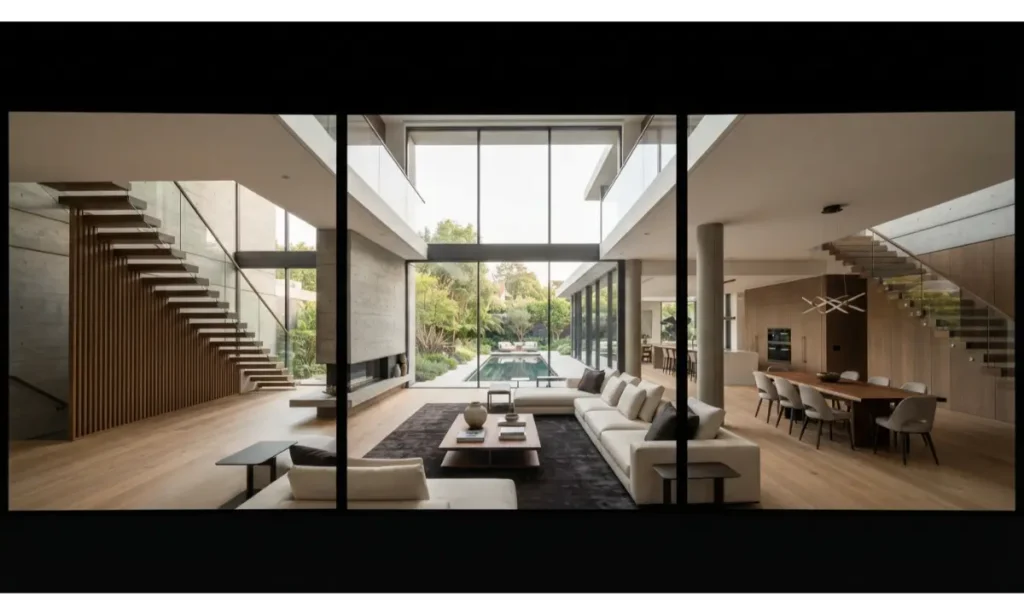
A modern interior can make your 3 screen wallpaper feel like an extension of your workspace. Strong architectural lines such as windows, ceilings, staircases, and walls naturally connect across multiple monitors. Use neutral materials such as concrete, wood, stone, and glass to create a refined visual foundation.
This 3 screen wallpaper is especially suitable for professional workstations because it feels polished without looking like a traditional desktop background. It can also complement modern furniture and clean room designs. The architectural geometry creates structure while maintaining enough open space for everyday computer use.
Pro Tip: Choose an interior with symmetrical or repeating architectural lines so monitor bezels do not disrupt the main composition too severely.
22. 3 Screen Wallpaper With a Soft Pastel Sky
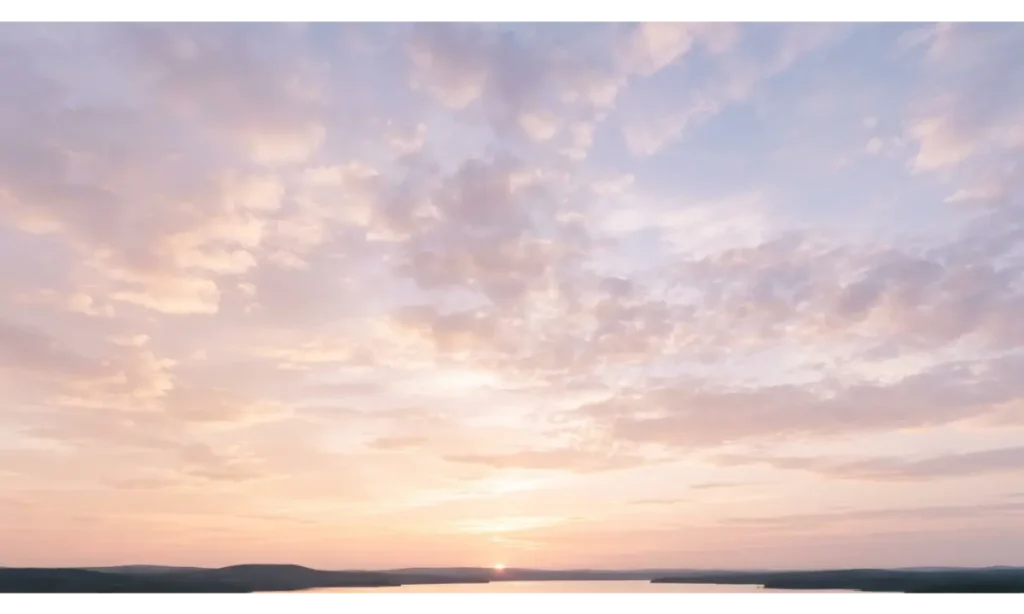
A pastel 3 screen wallpaper can bring a softer personality to your desktop. Instead of intense colors, use gentle pink, lavender, peach, cream, and pale blue tones that transition smoothly from one display to another. The result feels bright, cheerful, and modern without becoming overwhelming.
This 3 screen wallpaper works beautifully for creative studios, study desks, lifestyle workspaces, and cozy rooms. It pairs especially well with white keyboards, light wood furniture, pastel accessories, and warm lighting. The open sky also provides plenty of negative space, which makes the wallpaper practical as well as attractive.
Pro Tip: Keep the clouds soft and widely spaced so the design stays peaceful rather than visually crowded.
23. 3 Screen Wallpaper With a Premium Dark Ocean
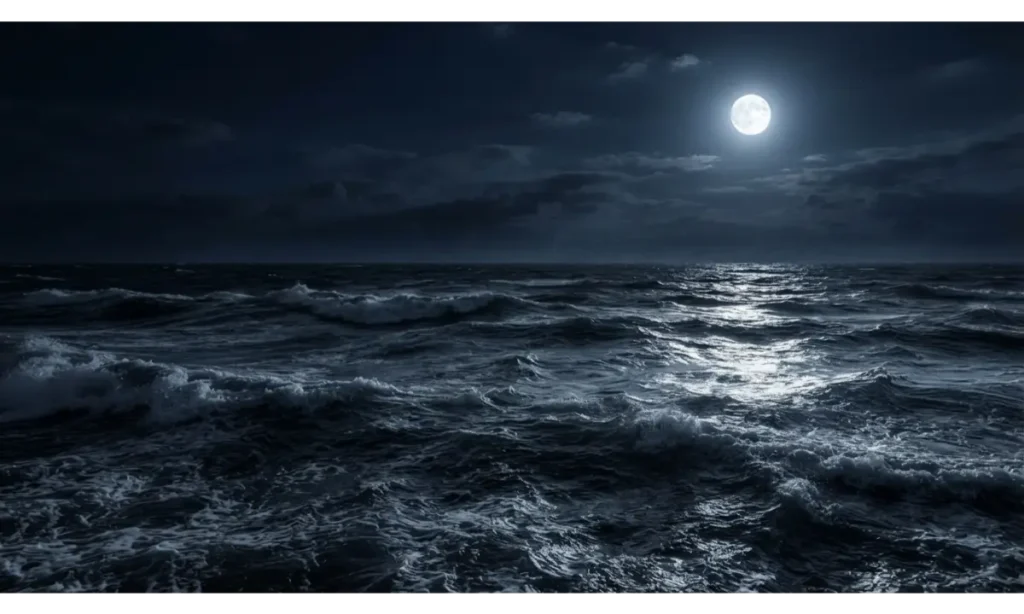
A dark ocean is a powerful final choice for a 3 screen wallpaper because waves naturally create horizontal movement across the entire setup. Moonlight or a subtle horizon glow can become the center focal point while darker water extends toward both side screens.
This 3 screen wallpaper works especially well for gaming rooms and sophisticated workspaces. Navy, charcoal, and silver tones create a mature visual style that pairs with dark desks and modern hardware. The scene feels dramatic without relying on excessive neon effects or complicated objects.
Pro Tip: Choose a wallpaper with controlled highlights so bright moon reflections do not interfere with text, icons, or application windows.
How to Choose the Right 3 Screen Wallpaper
Match the Wallpaper to Your Monitor Layout
Before choosing a 3 screen wallpaper, check how your monitors are arranged. Three identical horizontal displays need a different composition from a setup with one central monitor and two angled side screens. Windows lets users arrange multiple displays in the Display settings so the digital layout matches the physical arrangement.
A panoramic image usually works best when the screens have similar resolutions and orientations. If the displays have different resolutions, the wallpaper can crop or position differently because the pixel dimensions affect how the image is displayed.
Choose the Right Wallpaper Fit
The fit setting can dramatically change how your 3 screen wallpaper looks. Windows provides options including Fill, Fit, Stretch, Tile, Center, and Span. Span is particularly useful when you want one image to cover multiple monitors as one continuous background.
For a panoramic setup, pay close attention to cropping. A beautiful image can look completely different if its focal point gets pushed under a monitor bezel. Always preview the composition across the complete desktop before deciding that a particular wallpaper works.
Use Separate Wallpapers for a More Creative Setup
You do not always need one giant image. A 3 screen wallpaper setup can also use three coordinated images, such as a mountain on the left, a sunrise in the center, and a forest on the right. Windows supports assigning the same picture to all displays or selecting different pictures for individual displays when using picture backgrounds.
This approach works particularly well when your monitors have different sizes or resolutions. You can choose images that suit each display individually while maintaining a shared color palette. The result can feel more artistic and flexible than forcing one image across every screen.
Best 3 Screen Wallpaper Styles for Different Setups
For Gaming Desks
Gaming setups usually benefit from darker 3 screen wallpaper designs with controlled neon accents, futuristic cities, space environments, cyber grids, or dramatic landscapes. These styles complement RGB lighting and dark hardware while creating a strong visual identity.
Avoid choosing an image simply because it looks dramatic in a preview. Consider how bright the image becomes when your room lights are off and whether game windows remain easy to read. A balanced design often looks better over several months than an extremely bright wallpaper that becomes tiring.
For Study and Productivity Desks
For productivity, a 3 screen wallpaper should create atmosphere without competing with your work. Mountains, ocean horizons, Zen gardens, soft skies, minimalist architecture, and muted gradients can provide visual interest while keeping the background calm.
Look for open compositions and moderate contrast. If the wallpaper has large bright areas everywhere, text and icons may become harder to read. A good productivity background should support your workspace rather than constantly demand your attention.
For Creative Workspaces
Creative desks allow more freedom. A colorful 3 screen wallpaper can become part of the room’s visual identity. Abstract gradients, liquid metal, tropical landscapes, futuristic architecture, and pastel skies can all work well.
The key is coordination. If your desk already contains colorful accessories, choose a wallpaper that repeats one or two existing colors. This creates a deliberate look instead of making the workspace feel visually random.
Frequently Asked Questions
What is a 3 screen wallpaper?
A 3 screen wallpaper is a desktop background designed for a setup with three monitors. It can either span one large image across all displays or use three coordinated images, depending on the software and display configuration.
What resolution should I use for a 3 screen wallpaper?
The ideal resolution depends on your monitor arrangement and individual resolutions. For a seamless panoramic image, calculate the combined horizontal pixel width of your three displays and use an image that can cover that full area without significant quality loss.
Can I use different wallpapers on three monitors?
Yes. Windows supports using a different picture on individual displays in supported picture background configurations.
Can one wallpaper span all three screens?
Yes. Windows includes a Span option that allows one image to extend across multiple monitors.
What is the best style for a gaming setup?
There is no single style that fits every gamer, but futuristic cities, cyberpunk scenes, space artwork, dark fantasy landscapes, and neon abstract designs work naturally with many modern gaming setups.
Should the center monitor have the most important part of the image?
Usually, yes. Placing the primary subject near the center makes it easier to see and reduces the chance that monitor bezels will split the most important part of the composition.
Why does my wallpaper look cropped across three monitors?
Cropping can happen when the wallpaper’s aspect ratio does not match the combined display area or when the selected fit mode enlarges the image. Windows’ Fill and Stretch settings can affect how an image covers a screen.
Can I use a vertical monitor with two horizontal monitors?
Yes, but you should choose or create a composition specifically for that arrangement. A single panoramic image may not work well because the vertical display has a very different aspect ratio.
Are dark wallpapers better for three monitors?
Dark wallpapers can be practical because they often provide strong contrast for windows and icons, but the best choice depends on your room lighting, monitor brightness, and personal style.
Can animated wallpapers work with three monitors?
Yes, specialized wallpaper applications can support multi-monitor configurations and profiles. For example, Wallpaper Engine supports independent wallpapers or playlists across different monitors through multi-monitor profiles.
Final Thoughts
The right 3 screen wallpaper can turn three ordinary monitors into one impressive visual centerpiece. The best choice depends on the atmosphere you want to create, whether that means a dramatic gaming environment, a peaceful productivity space, a cozy study desk, or a premium modern workstation.
From mountain sunrises and futuristic cities to Zen gardens, liquid metal, tropical beaches, snowy peaks, and northern lights, these ideas give you plenty of directions to experiment with. Focus on composition, color balance, resolution, and the physical arrangement of your displays. When those details work together, your 3 screen wallpaper becomes more than a background. It becomes part of the entire personality of your setup.